04/ 04 · B2B catalog · Webflow & custom code
Project Wellness Equipment
A professional fitness-equipment catalog where customers build a list and send a structured quote request. The quotation system is written entirely in custom code.

01Overview
The project
Project Wellness Equipment designs and supplies professional equipment for gyms, hotels, sports centers and personal-trainer studios. Customers don’t check out online: they ask for a quote.
The site is built in Webflow. I designed the experience and built the quotation system, from the product list to the multi-step request, entirely in custom code on top of Webflow, using Claude Code as a development assistant.
It’s an ongoing relationship for our studio: with my team at .beeasy we also created the company’s brand, and we still work on its automation and logistics systems.
02Role & responsibilities
What I did, and what I didn't
My responsibilities
- UX/UI design of the catalog and the quote flow
- Custom development of the quotation system: list, quantities, four-step request
- Requirements, step-by-step direction and review of the AI-assisted code
- Translating business requirements into form steps and fields
- Brand identity, with the .beeasy team
- Ongoing automation and logistics systems, with the .beeasy team
Not my part
- Product data and photography
03Challenge
The problem
A quote isn’t a cart, and a contact form isn’t enough.
B2B buyers often need many products in different quantities, plus context such as the type of facility, the space and an indicative budget, before a supplier can prepare an offer.
A generic contact form loses all of that. A shopping cart implies prices and a checkout that don’t exist. The flow needed something in between.
04Approach
How I approached it
Treat the quote like a list: add products from anywhere in the catalog, review them in a drawer, then send a structured request in four named steps. Each business requirement became a step the customer can check before sending.
Add
From the catalog or any product page.
Review
The list drawer: products and quantities.
Describe
Project information and details.
Send
Contact data, then one structured request.
05Design decisions
The decisions that shaped it
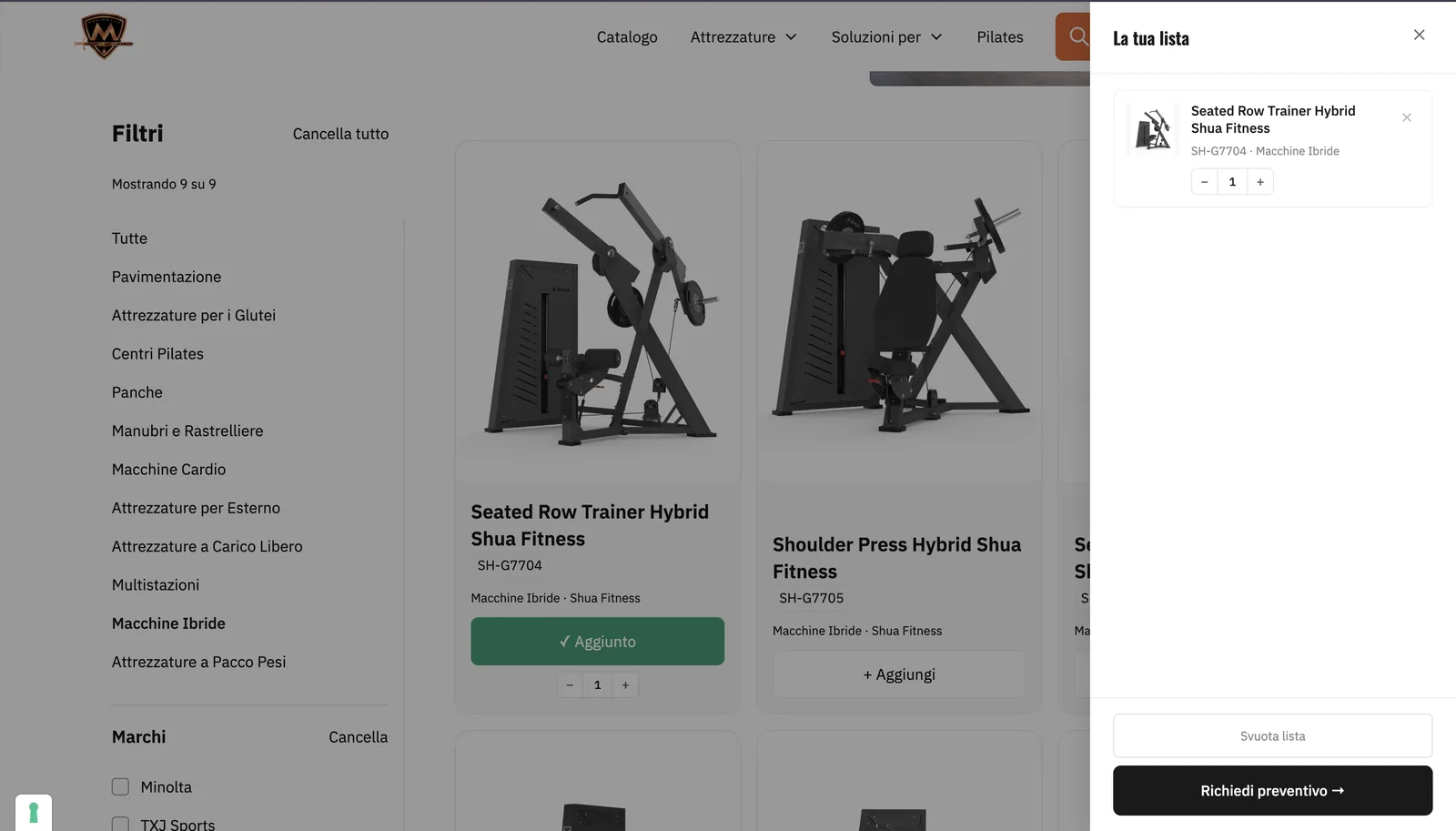
“Add” turns into a confirmed “Added” state with a quantity stepper, and the product appears in “Your list”, a side drawer that opens from anywhere. No prices, no checkout, just what the customer needs to ask for an offer.
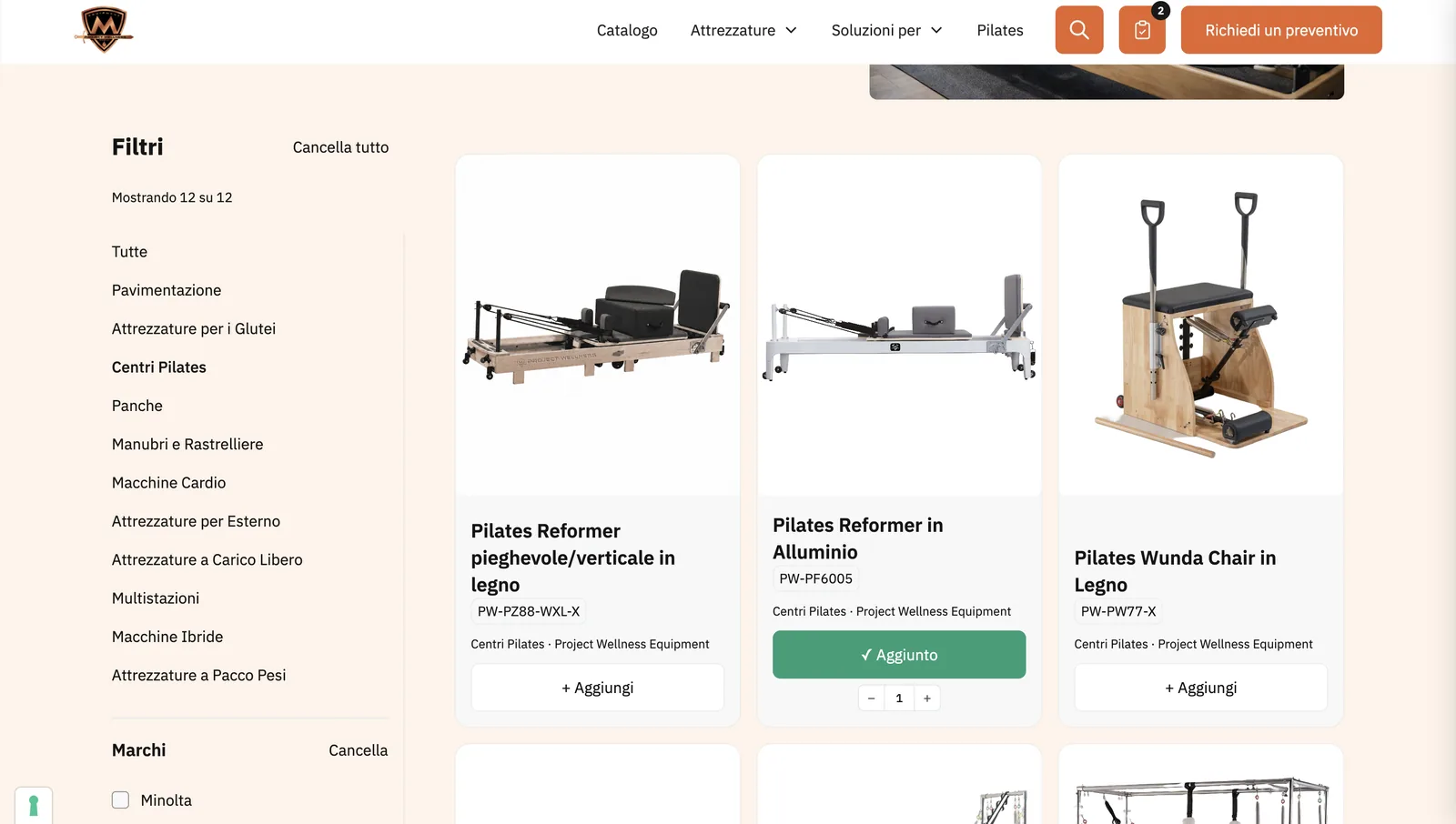
The header keeps the list icon with a live count next to “Request a quote”, so the request is reachable from every page of the catalog.
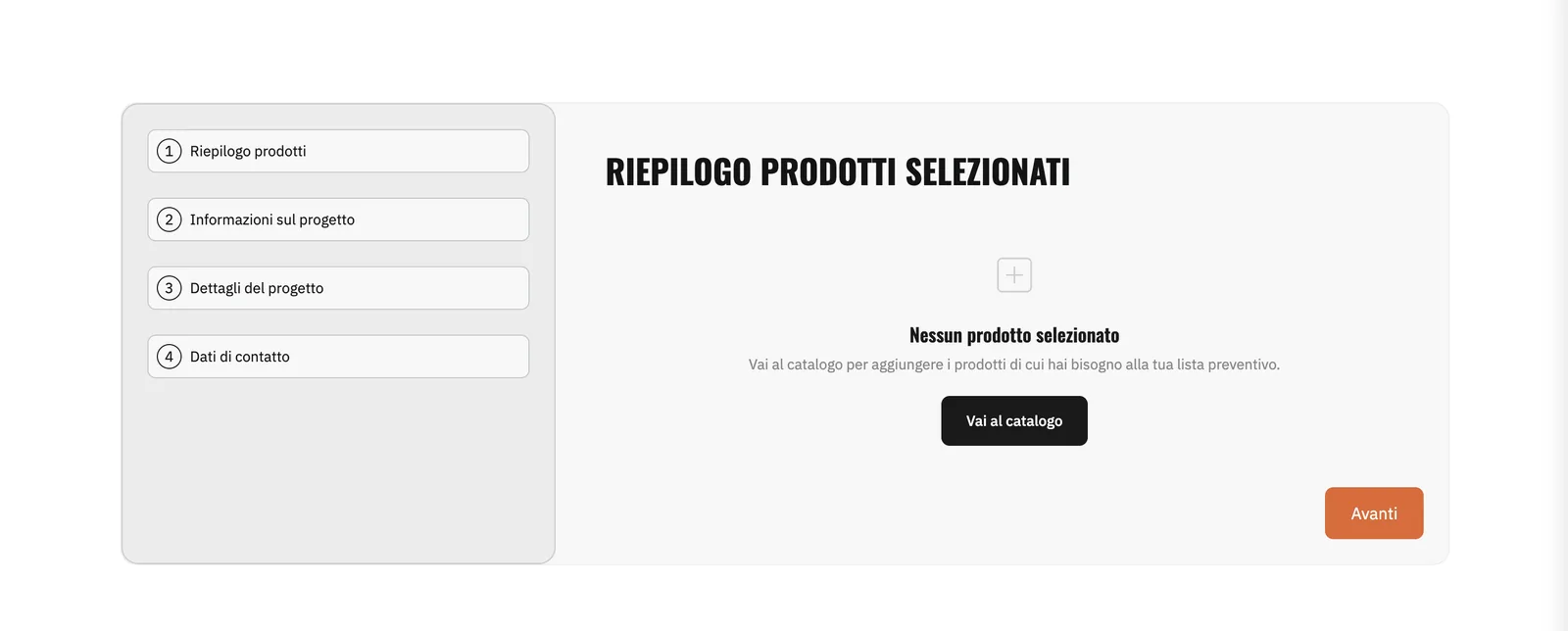
Products, project information, project details, contact data. Naming the steps up front tells people how long the request is before they begin, and completed steps get a check.

With nothing selected, step one doesn’t show an error: it explains what’s missing and offers one button back to the catalog.
Each product page shows code, type and brand, plus the same add-to-list control with quantity, so customers build the request while they browse.

06Development
How it was built
The site runs on Webflow. The quotation system is written entirely in custom code added to it: it isn’t a configured plugin or a Webflow app. I defined the requirements and the flow, directed the implementation step by step with Claude Code, and reviewed every result against the design and the business rules before it went live.
AI made the building faster. The decisions about what to build, and whether the result was right, stayed mine.
- Platform
- Webflow
- Quotation system
- Custom code, not a plugin
- AI assistant
- Claude Code
- Flow
- List drawer + four-step request
07Final experience
The live screens
Screenshots of the live site, unedited.
08Takeaways
What I'd keep
Model the real process.
The flow works because it mirrors how B2B quotes actually happen.
AI speeds up building, not deciding.
Requirements and review stayed human; the code came faster.
Empty states are part of the flow.
The moment with nothing selected is where people most need direction.
Have a process that needs a custom flow?
From quote requests to multi-step forms, I design and build flows around how your business actually works.